Boost Your Google Local Pack Ranking: Essential GBP Guide for SMBs
Struggling to appear in local search results? Learn how to optimize your Google Business Profile to improve your Google Local Pack ranking and attract more local customers.

Understanding the Google Local Pack and Why it Matters
For many small and mid-sized businesses, being found by local customers is the difference between thriving and just surviving. When someone searches for a local service or product like “plumbers near me” or “coffee shops downtown,” Google often displays a map alongside a list of three businesses. This is the Google Local Pack, and it’s prime real estate.
Appearing in the Google Local Pack is crucial because it offers immediate visibility to high-intent local searchers. These users are often ready to make a purchase or contact a service provider. If your business isn’t listed, you’re missing out on a significant number of potential customers who are actively looking for what you offer, right in their neighborhood.
Your Google Business Profile: The Foundation of Local SEO
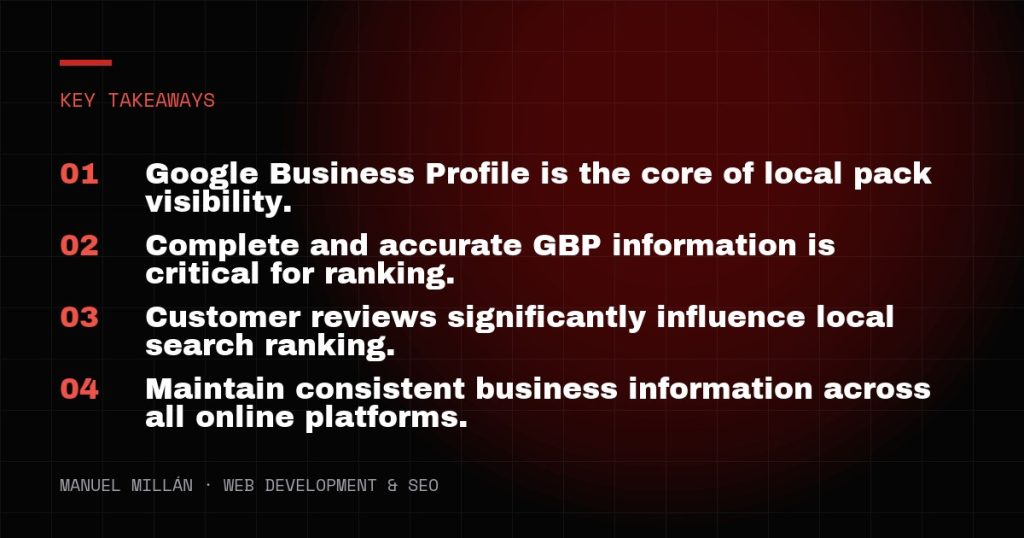
At the heart of your ability to achieve a strong Google Local Pack ranking is your Google Business Profile (GBP). Think of your GBP as your free, comprehensive business listing on Google. It’s how Google understands your business, its services, location, and operating hours. An optimized and well-managed GBP sends strong signals to Google about your relevance and trustworthiness.
Claiming and Verifying Your Profile
The very first step is to claim and verify your Google Business Profile. If you haven’t done this, you’re effectively invisible to Google’s local search algorithms. This usually involves a postcard verification process where Google mails a code to your physical business address, or sometimes phone/email verification. Don’t skip this step; an unverified profile cannot fully leverage GBP’s features.
Essential GBP Optimization Steps
Once verified, it’s time to optimize. Every field in your Google Business Profile should be filled out completely and accurately. Here’s what to prioritize:
- Business Name: Use your exact, official business name. Do not stuff keywords here; Google penalizes this.
- Categories: Choose your primary category carefully and add all relevant secondary categories. This helps Google understand exactly what services you offer. Be specific.
- Address & Service Area: Ensure your physical address is correct and consistent with other listings. If you’re a service-area business (e.g., a plumber who travels to clients), set your service areas rather than a physical address customers visit.
- Phone Number: Use a local phone number that is consistently listed across all your online properties.
- Website: Link to your official business website.
- Hours of Operation: Keep these up-to-date, including special holiday hours. Inaccurate hours frustrate customers and can hurt your reputation.
- Description: Write a concise, keyword-rich description of your business. Focus on what makes you unique and what services you provide.
- Photos: High-quality photos are critical. Upload your logo, cover photo, exterior shots, interior shots, photos of your team, and photos of your products or services. Businesses with more photos tend to receive more engagement.
Beyond the Basics: Advanced GBP Features
Don’t stop at the basic information. Google Business Profile offers several features that can further enhance your visibility and engagement:
- Google Posts: Use posts to share updates, offers, events, or product news directly in your Google listing. These can appear prominently in search results.
- Q&A Section: Monitor and answer questions posed by users. You can also proactively post frequently asked questions with answers.
- Products/Services: Detail your products and services with descriptions and pricing (if applicable). This provides more information directly to potential customers.
- Messaging: Enable the messaging feature to allow customers to text your business directly from your GBP.
- Bookings/Appointments: Integrate with supported scheduling tools to allow customers to book appointments directly.
Gathering and Managing Customer Reviews Effectively
Customer reviews are one of the most powerful ranking factors for local SEO and are absolutely essential for improving your Google Local Pack ranking. They build trust, provide social proof, and signal to Google that your business is active and reputable.
Here’s how to manage them:
- Actively Solicit Reviews: Don’t wait for them to happen. Ask satisfied customers to leave a review. You can do this in person, via email, or by providing a direct link to your Google review page.
- Respond to All Reviews: Whether positive or negative, respond promptly and professionally. Thank positive reviewers and address negative feedback constructively, offering solutions when possible. This shows you care about customer experience.
- Don’t Incentivize Reviews: Offering discounts or freebies in exchange for reviews is against Google’s guidelines and can lead to penalties.
- Don’t Delete Negative Reviews: Trying to remove negative reviews can backfire. Instead, focus on responding thoughtfully and improving your service.
Consistency is Key: NAP and Local Citations
Beyond your Google Business Profile, Google also looks at how consistently your business information appears across the web. This includes your Name, Address, and Phone number (NAP). Discrepancies can confuse Google and hurt your local ranking.
Ensure your NAP is identical on:
- Your website
- Social media profiles (Facebook, Instagram, LinkedIn, etc.)
- Online directories (Yelp, Yellow Pages, industry-specific sites)
- Chamber of Commerce listings
These consistent listings, known as local citations, act as votes of confidence for your business and help Google verify your information. Regularly audit your citations to correct any inaccuracies.

Monitoring Your Local Performance and Adapting
Local SEO isn’t a one-time task; it’s an ongoing process. Regularly monitor your Google Business Profile insights. These free analytics provide valuable data on how customers are finding your business, what actions they’re taking (calls, website clicks, directions), and how your photos are performing.
Pay attention to:
- Search Queries: What terms are people using to find you?
- Customer Actions: Which calls to action are most popular?
- Photo Views: Which photos get the most attention?
Use this data to refine your GBP optimization efforts. If certain services aren’t getting traction, update their descriptions or add more photos. If a particular search term is bringing in traffic, consider creating a Google Post related to it. Staying proactive ensures your local SEO strategy remains effective and responsive to customer behavior and Google’s algorithm changes.
Improving your Google Local Pack ranking is an achievable goal for any small or mid-sized business willing to put in the effort. By meticulously optimizing your Google Business Profile, actively managing customer reviews, and maintaining consistent online information, you can significantly enhance your visibility and attract more local customers.
Need a reliable web partner?
I design and build fast, SEO-ready websites for businesses and agencies, including white-label projects. Tell me about yours.
Let's talk