Actionable WordPress Core Web Vitals Fixes for Better Scores
Struggling with slow WordPress performance? Learn actionable strategies and practical fixes to improve your Core Web Vitals scores and boost SEO.

Many WordPress sites struggle with Google’s Core Web Vitals, leading to lower search rankings and frustrated users. A slow-loading or visually unstable website not only impacts your SEO performance but also drives away potential customers before they even see your content. Improving these metrics requires a strategic approach, focusing on specific bottlenecks unique to the WordPress environment.
Understanding Core Web Vitals and Why They Matter for WordPress
Core Web Vitals are a set of specific, quantifiable metrics that Google uses to measure a user’s experience on your website. They are part of Google’s broader Page Experience signals, directly influencing your search rankings. For WordPress site owners, understanding and optimizing these vitals is crucial for maintaining competitive visibility and providing a smooth user journey.
The Three Key Metrics:
- Largest Contentful Paint (LCP): Measures loading performance. It marks the point when the largest image or text block in the viewport is rendered. A good LCP score is typically 2.5 seconds or less.
- Cumulative Layout Shift (CLS): Quantifies visual stability. It measures the unexpected shifting of page content while it’s loading. A good CLS score is 0.1 or less.
- Interaction to Next Paint (INP): Measures responsiveness. This metric, which fully replaces First Input Delay (FID) in 2024, assesses a page’s overall responsiveness to user interactions by observing the latency of all clicks, taps, and keyboard interactions throughout a page session. A good INP score is generally 200 milliseconds or less.
WordPress sites often face unique challenges in meeting these metrics due to theme complexity, plugin overhead, unoptimized media, and custom code. Ignoring these signals can result in lower organic traffic, increased bounce rates, and ultimately, lost business opportunities.
Server-Side and Hosting Optimizations for Core Web Vitals
Your website’s foundation – its hosting and server configuration – plays a critical role in Core Web Vitals performance. Even the most optimized WordPress site will struggle on poor infrastructure.
-
Choose High-Quality Hosting
Invest in reliable, performance-oriented hosting. Shared hosting often lacks the dedicated resources needed for optimal speed. Consider managed WordPress hosting, which is typically optimized for WordPress, or a Virtual Private Server (VPS) for more control and resources. Look for hosts offering SSD storage and sufficient RAM and CPU.
-
Implement a Content Delivery Network (CDN)
A CDN stores copies of your static website content (images, CSS, JavaScript) on servers globally. When a user requests your site, the CDN delivers content from the server closest to them, significantly reducing latency and speeding up LCP.
-
Utilize the Latest PHP Version
Always run the latest stable and supported PHP version (e.g., PHP 8.x in 2026). Each new PHP release brings substantial performance improvements, processing requests faster and reducing server load, which directly benefits LCP and INP.
-
Enable Server-Level Compression
Ensure your server is configured to use GZIP or Brotli compression. These technologies reduce the size of your website files before they are sent to the browser, leading to faster download times and improved LCP.
-
Leverage Modern Protocols (HTTP/2 or HTTP/3)
Confirm your server supports and uses HTTP/2 or the newer HTTP/3 protocol. These protocols offer significant performance advantages over older HTTP/1.1 by allowing multiple requests and responses to be sent simultaneously over a single connection, reducing latency.

Addressing Largest Contentful Paint (LCP) Challenges
LCP is often the hardest Core Web Vital to optimize. It focuses on how quickly your main content becomes visible. Many WordPress sites struggle with LCP due to large images, render-blocking scripts, and inefficient font loading.
-
Optimize Your Images
Images are frequently the largest contributors to LCP. Address them by:
- Compressing Images: Use tools or plugins to compress images without significant loss of quality.
- Converting to Next-Gen Formats: Serve images in modern formats like WebP, which offer better compression than JPEGs or PNGs.
- Implementing Responsive Images: Use
srcsetandsizesattributes to serve appropriately sized images for different devices, preventing oversized images from loading on mobile. - Lazy Loading: Defer loading offscreen images until they are needed. WordPress offers native lazy loading, but plugins can provide more control.
-
Reduce Render-Blocking Resources
JavaScript and CSS files loaded in the
<head>of your document can block the browser from rendering the page content until they are fully parsed. To improve LCP:- Inline Critical CSS: Extract the minimal CSS required for the above-the-fold content and inline it directly into the HTML.
- Defer Non-Critical CSS/JS: Load less important CSS and JavaScript files asynchronously or defer them until after the main content has rendered.
- Remove Unused CSS/JS: Audit your themes and plugins to identify and remove any stylesheets or scripts that are not actively used on a page.
-
Optimize Font Loading
Web fonts can also delay LCP. Manage them effectively by:
- Preloading Important Fonts: Use
<link rel="preload">to tell the browser to fetch critical fonts earlier. - Using
font-display: swap;: This CSS property allows the browser to display text using a fallback font while the custom font is loading, preventing invisible text (FOIT). - Hosting Fonts Locally: Whenever possible, download and host Google Fonts or other custom fonts on your own server to avoid third-party requests.
- Preloading Important Fonts: Use
Fixing Cumulative Layout Shift (CLS) and Interaction to Next Paint (INP)
CLS and INP focus on the stability and responsiveness of your user interface. Addressing these metrics creates a more pleasant and predictable experience for your visitors.
Minimizing Cumulative Layout Shift (CLS)
Unexpected shifts occur when content moves after it has already rendered, often due to dynamically loaded content, images without dimensions, or fonts loading in different sizes. To combat CLS:
- Specify Dimensions for Images and Videos: Always include
widthandheightattributes for images, videos, and iframes. This allows the browser to reserve the correct amount of space for them before they load. - Reserve Space for Ads and Embeds: If you display ads or embedded content (like social media feeds), ensure you define a static space for them to prevent content around them from jumping.
- Handle Dynamically Injected Content Carefully: Avoid injecting content above existing content without first reserving space. If new content must be added, do so at the bottom of the page or in a dedicated container with predefined dimensions.
- Preload Web Fonts: As mentioned for LCP, preloading fonts helps avoid Flash of Unstyled Text (FOUT) or Flash of Invisible Text (FOIT), which can cause layout shifts as the font loads and replaces the fallback.
Improving Interaction to Next Paint (INP)
INP is all about how quickly your page responds to user input. High INP scores usually point to heavy JavaScript execution that ties up the browser’s main thread.
- Minimize JavaScript Execution Time: Audit your WordPress plugins and themes for inefficient JavaScript. Minify and compress your JS files. Break up long JavaScript tasks into smaller, asynchronous chunks so the main thread remains free to respond to user interactions.
- Optimize Third-Party Scripts: External scripts (analytics, ads, social widgets) can significantly impact INP. Load them with
deferorasyncattributes, or consider delaying their load until user interaction, if appropriate. - Efficient Browser Caching: Ensure static resources, especially JavaScript files, are cached effectively by the browser. This reduces repeated downloads and parsing, speeding up subsequent page loads and improving overall responsiveness.
- Prioritize Critical JavaScript: Identify and prioritize the JavaScript essential for immediate user interaction, deferring or asynchronously loading the rest.

Essential WordPress-Specific Optimizations and Tools
Beyond general web performance, WordPress offers specific avenues for optimization that can make a significant difference to your Core Web Vitals.
-
Choose a Lightweight Theme
Start with a theme built for performance. Many modern themes come with extensive features, but some are more optimized and less bloated. Block-based themes (Full Site Editing) or minimalist options often offer better performance out of the box.
-
Audit Your Plugins
Plugins are essential for WordPress functionality, but they can also be a major source of performance issues. Regularly review your installed plugins:
- Deactivate and delete any unused plugins.
- Replace inefficient plugins with lighter alternatives.
- Limit the total number of plugins to only what’s truly essential.
-
Implement Robust Caching
Caching is one of the most effective ways to speed up WordPress. Use a powerful caching plugin (e.g., WP Rocket, LiteSpeed Cache) to implement:
- Page Caching: Serves static HTML pages instead of dynamically generating them on every request.
- Object Caching: Reduces database query times.
- Browser Caching: Tells browsers to store static files locally.
-
Leverage Image Optimization Plugins
While manual image optimization is powerful, plugins like Smush or Imagify can automate compression, WebP conversion, and lazy loading, saving you significant time and effort.
-
Database Optimization
Over time, your WordPress database accumulates revisions, transients, and other junk data. Use a database optimization tool or plugin to clean and optimize your database regularly, keeping it lean and responsive.
-
Regular Maintenance and Updates
Keep your WordPress core, themes, and plugins updated. Updates often include performance enhancements and security fixes. Staying current is fundamental to a fast and secure site.
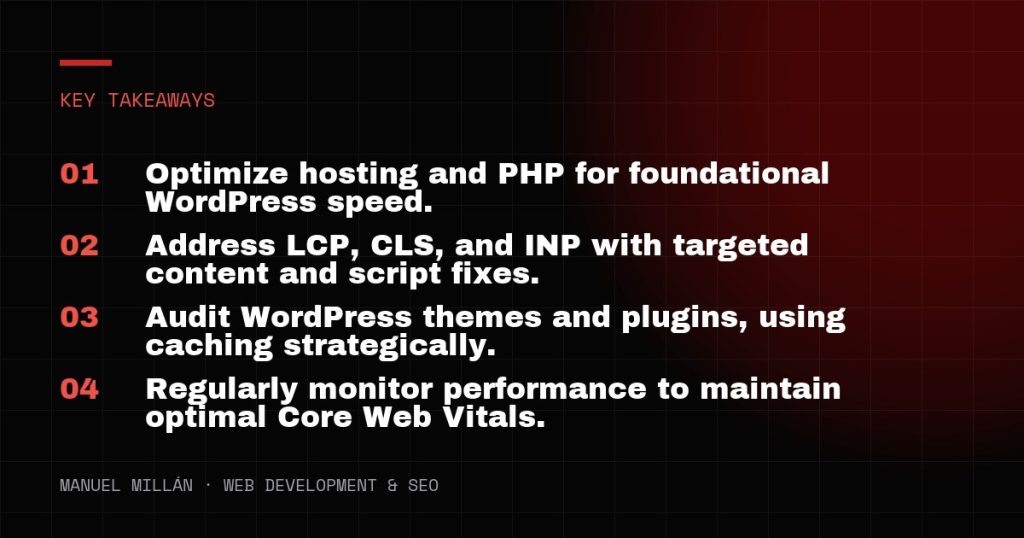
Improving Core Web Vitals is an ongoing process, not a one-time fix. Regularly monitor your site’s performance with tools like PageSpeed Insights and Google Search Console. By systematically addressing the common bottlenecks outlined here, you can significantly enhance your WordPress site’s speed, stability, and responsiveness, leading to better search rankings and a superior user experience.
Need a reliable web partner?
I design and build fast, SEO-ready websites for businesses and agencies, including white-label projects. Tell me about yours.
Let's talk