A Practical Guide to Website Accessibility for Small Business
Improve user experience and SEO in 2026 with this technical guide to website accessibility for small business owners and digital marketing agencies.

The Business Case for Website Accessibility in 2026
Many business owners view website accessibility as a burdensome legal requirement or a niche feature for a small segment of the population. In reality, website accessibility for small business is about ensuring that every potential customer can interact with your brand, regardless of their physical or cognitive abilities. If your site is difficult to navigate for someone using a screen reader or a keyboard, you are effectively turning away business. In 2026, accessibility has become a core component of user experience (UX) and search engine optimization (SEO).
Search engines like Google prioritize sites that offer a superior user experience. Many of the technical requirements for accessibility, such as proper heading structures and descriptive alt text, are the same elements that help search engine crawlers understand your content. By making your site accessible, you are also making it more indexable. Furthermore, an accessible site often leads to lower bounce rates and higher conversion rates because the interface is intuitive and clear for all users. For agencies managing client sites, delivering an accessible product is no longer an optional add-on; it is a standard of professional web development.
While I am a developer and not an attorney, it is important to note that digital accessibility is increasingly scrutinized in the US business environment. While I cannot provide legal advice, sticking to the Web Content Accessibility Guidelines (WCAG) is the most reliable way to mitigate risks and serve your community effectively. Typically, a professional accessibility audit for a small business site can range from $700 to $2,500 depending on the complexity and number of unique page templates, but many basic fixes can be handled during the initial development phase.
Keyboard Navigation: The Foundation of Accessibility
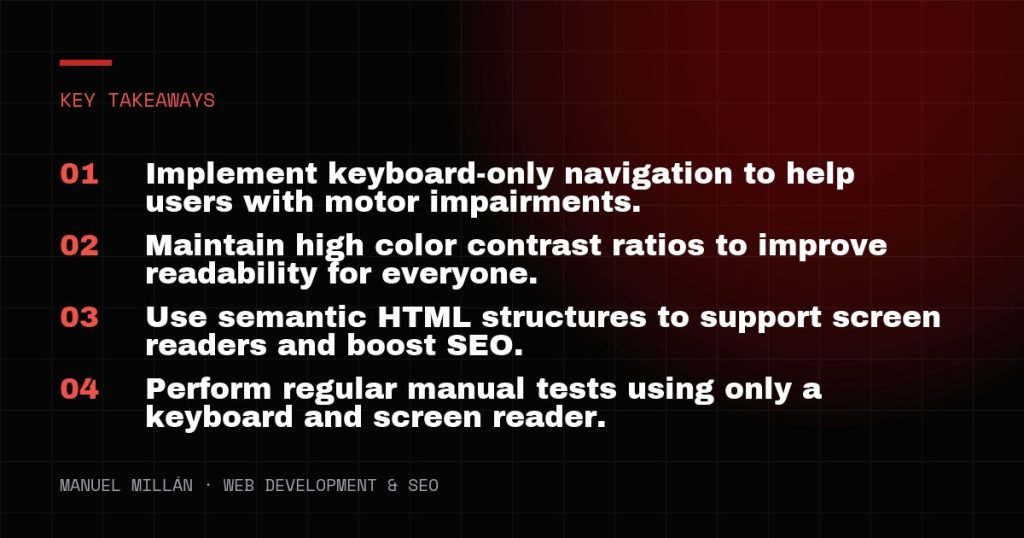
Keyboard navigation is the most critical element of accessibility for users with motor disabilities who cannot use a mouse. A fully accessible website must allow a user to navigate through every link, button, and form field using only the ‘Tab’ key to move forward and ‘Shift + Tab’ to move backward. If a user gets ‘trapped’ in a menu or a pop-up and cannot exit using their keyboard, the site is effectively broken for them.
The first technical requirement is a visible focus state. When a user tabs through your site, there should be a clear visual indicator—usually a blue or high-contrast outline—around the element currently selected. Many designers disable these outlines because they find them ‘ugly,’ but this destroys usability for keyboard users. Instead of removing them, style them to match your brand while maintaining high visibility.
Another essential feature is the ‘Skip to Content’ link. This is a hidden link that appears only when the ‘Tab’ key is first pressed. It allows users to skip over the main navigation and go straight to the primary content of the page. This is a massive time-saver for someone who has to tab through fifteen menu items on every single page load. Implementing this is a simple matter of a few lines of HTML and CSS, but it significantly improves the daily experience of your users.
Color Contrast and Visual Legibility Standards
Visual accessibility focuses on making sure content is readable for people with low vision or color blindness. The WCAG 2.1 and 2.2 AA standards require a contrast ratio of at least 4.5:1 for normal text and 3:1 for large text. This ensures that light gray text on a white background or yellow text on an orange button does not prevent users from reading your message.
When designing or auditing a site, use tools like the Adobe Contrast Checker or the WAVE browser extension to verify these ratios. It is a common mistake to use color as the only way to convey information. For example, if a form field turns red to indicate an error, a color-blind user may not perceive the change. You should always include an icon or a text label (e.g., ‘Error: This field is required’) to ensure the message is clear to everyone.
Typography also plays a role. Avoid small font sizes; a 16px base font size is generally the minimum for body text in 2026. Ensure that your site remains functional when users zoom in up to 200%. If your layout breaks or text overlaps when zoomed, it fails basic accessibility standards. Responsive design should not just account for screen size, but also for user-initiated scaling.
Implementing Semantic HTML for Screen Readers
Screen readers are software programs used by people who are blind or have low vision to read the content of a website aloud. These programs rely on the underlying code, or semantic HTML, to understand the structure of a page. If you use a <div> tag for a button instead of a <button> tag, a screen reader may not tell the user that the element is interactive.
Proper heading hierarchy is vital. Your page should have exactly one <h1> tag that describes the main topic. Subsections should follow a logical order: <h2>, then <h3>, and so on. Never skip a heading level (e.g., going from an <h2> to an <h4>) just because you prefer the font size of the smaller heading. Use CSS to change the appearance, but keep the HTML structure logical. This hierarchy helps screen reader users ‘skim’ the page by jumping from one heading to the next.
Alt text for images is another area where website accessibility for small business overlaps heavily with SEO. Every informative image must have an alt attribute that describes what is in the image. If an image is purely decorative, use an empty alt attribute (alt=””) so the screen reader knows to ignore it. For form elements, ensure every input has a corresponding <label> tag. A ‘Search’ input without a label is just an empty box to a screen reader, leaving the user guessing what the field is for.

Testing and Maintaining Your Accessible Website
Accessibility is not a one-time task; it is an ongoing commitment. Every time you add a new blog post, a new product, or a new landing page, you have the potential to introduce accessibility barriers. Fortunately, there are several ways to test your site without needing expensive software.
Start with automated tools like Google Lighthouse or Axe DevTools. These browser extensions can catch about 30% to 40% of accessibility issues, such as missing alt text or poor contrast. However, automated tools cannot tell you if your navigation order makes sense or if your alt text is actually descriptive. For that, you need manual testing.
The most effective manual test is the ‘No Mouse Challenge.’ Try to navigate your entire site, fill out your contact form, and complete a purchase using only your keyboard. If you find it frustrating or impossible, your users will too. For a deeper check, turn on the built-in screen reader on your computer (VoiceOver on Mac or Narrator on Windows) and try to navigate with your eyes closed. This will quickly reveal where your code is lacking the necessary context for non-visual users.
A Commitment to Inclusive Design
Building an accessible website is a practical business decision that improves your reach and reinforces your brand’s reliability. By focusing on keyboard navigation, color contrast, and semantic HTML, you create a better experience for every visitor, whether they are using a screen reader or just browsing in bright sunlight on a mobile device. Start with a basic audit of your most important pages and fix the high-impact issues first. Accessibility is a journey of continuous improvement that pays dividends in user loyalty and search engine performance.
Need a reliable web partner?
I design and build fast, SEO-ready websites for businesses and agencies, including white-label projects. Tell me about yours.
Let's talk